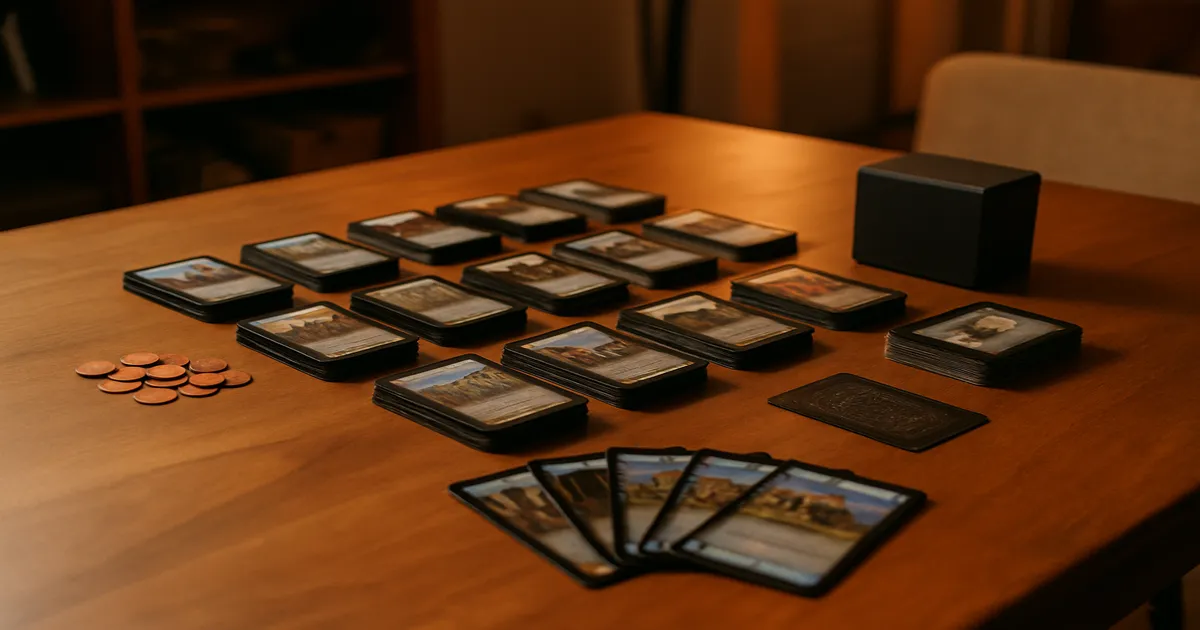
Quick Answer: Dominion Online (dominion.games) is the official browser-based version of the classic deck-building game, built by Shuffle iT. You start with a 10-card deck and spend your turns buying better cards from a shared Supply to rack up Victory Points. The base set is free; a subscription (~$4.99/month or ~$47.99/year) unlocks all expansions. Each turn follows an Action–Buy–Clean-up sequence, and the game ends when the Province pile empties or any three Supply piles run out. Online play handles shuffling, scoring, and rules enforcement automatically, so most games wrap up in 15–20 minutes.
If you’ve been wondering how to play Dominion online but aren’t sure where to start, you’re not alone. Dominion is one of the most influential card games ever designed — it invented the deck-building genre and won the Spiel des Jahres in 2008 — and the online version makes it easier than ever to learn, practice, and play competitively without spreading 500 cards across your kitchen table.
What Is Dominion Online? Platform Overview and Cost
The Official Platform
The home for online Dominion is dominion.games, built and maintained by Shuffle iT. If you played on Isotropic (the beloved fan-made client) or the later Temple Gates platform, both are long gone. Shuffle iT is the only official option now, licensed by Rio Grande Games.
The interface is utilitarian — it’s not winning any design awards — but it’s clean, functional, and once you know where things are, it stays out of your way. There’s a colorblind mode, keyboard shortcuts for experienced players, and hovering over any card shows the full text. That last feature is genuinely invaluable when you’re still learning what everything does.
Free vs. Paid
A free account gives you full access to all the base set Kingdom cards, which is honestly plenty for learning the game. Expansions — there are more than 15 of them — require a subscription: roughly $4.99/month or $47.99/year. Guest play is possible but limited; you can’t save game history or access all features without an account.
The platform runs in a browser on PC and Mac. It works reasonably well on tablets, but on a phone the layout gets cramped fast. There’s no dedicated app.
How to Play Dominion Online: Core Rules Every Player Needs
The Goal: Victory Points
Dominion is a deck-building game. You start with a weak 10-card deck, buy better cards over the course of the game, shuffle them in, and draw them on future turns. The winner is whoever has the most Victory Points when the game ends — not whoever has the most money or the biggest deck.
Your Starting Deck
Every player begins with the same 10 cards: 7 Copper (worth 1 coin each) and 3 Estates (worth 1 VP each). That’s it. Your job is to turn this mediocre pile into something that can reliably buy Provinces, which cost $8 and are worth 6 VP apiece.
Understanding the Supply
The shared Supply contains three types of cards:
- Treasure cards: Copper, Silver, and Gold — your economy
- Victory cards: Estate (1 VP), Duchy (3 VP), Province (6 VP), and Curse (−1 VP)
- Kingdom cards: 10 piles chosen per game, each with unique effects
Those 10 Kingdom card piles are what make every game feel different. The rules are learnable in a single session, but the strategic space is enormous — which is exactly why the game has stayed relevant for 15+ years.
How Kingdom Cards Are Chosen Online
Dominion Online lets you pick Kingdom cards randomly, manually, or from curated Recommended Sets. If you’re new, use the Introductory sets. They’re specifically designed to introduce mechanics one at a time without burying you in complex interactions.
How a Turn Works: Action–Buy–Clean-Up
Action Phase
You can play one Action card from your hand. Some Action cards give you extra Actions, letting you chain multiple cards in sequence. If you have no Action cards — or just don’t want to play one — skip straight to buying.
This is where most of the interesting decisions live: which cards to chain, what order to play them in, whether to hold something back.
Buy Phase
Add up your Treasure cards and any coins generated by Action cards, then buy one card from the Supply. Some cards grant extra Buys, letting you purchase multiple cards in a single turn. Whatever you buy goes to your discard pile — you won’t see it again until it cycles through your deck.
You’re never required to buy anything. Sometimes passing is the right call.
Clean-Up Phase
Discard everything — cards you played and cards still in your hand. Draw 5 new cards. If your draw deck runs out mid-draw, shuffle your discard pile into a new one. That’s the whole engine: buy cards, shuffle them in, draw them, use them to buy better cards.
What Dominion Online Automates
The platform handles shuffling, scoring, and phase transitions automatically. It also prevents illegal moves — you can’t accidentally play a Treasure during your Action phase. The undo button is available and fine to use in casual games, but requesting an undo after you’ve seen new information (like a freshly drawn card) is considered poor etiquette in competitive play.
End Conditions and Scoring
Two Ways the Game Ends
- The Province pile empties — the most common trigger
- Any three Supply piles are depleted — this one catches new players off guard constantly
That three-pile rule isn’t just a footnote. Deliberately emptying three piles to end the game when you’re ahead in VP is a legitimate tactic, and experienced players use it all the time. Keep an eye on those pile counts.
Counting Victory Points
When the game ends, every card in your deck counts — hand, draw pile, and discard pile all get scored together. Dominion Online handles this automatically. Curse cards are worth −1 VP each, so don’t ignore them if your opponent is handing them out. Tiebreaker is fewest turns taken.
Getting Started: Step-by-Step Setup Guide
Creating Your Account and Finding a Game
Go to dominion.games, create a free account, and run through the built-in tutorial before you do anything else. I know it’s tempting to skip, but the interface has enough quirks that the tutorial will save you real confusion later.
From the lobby you can start a bot game, set up a private game with friends, or jump into automatch (ranked or unranked).
Playing Against Bots First
This is the right move for beginners. The AI opponents come in different difficulty levels, and playing bots lets you think without worrying about holding up another person. You can also replay the same Kingdom card setup multiple times to see how different approaches play out — something you can’t easily do with a physical copy.
Playing with Friends Online
- Go to the lobby and select New Table
- Adjust settings (Kingdom cards, player count, etc.)
- Share the table link or invite friends directly by username
- Switch the Kingdom to an Introductory set if anyone is new
Use the Game Log
After each game, scroll through the game log. It records every action in sequence. Most people skip this, which is a mistake — seeing exactly when your opponent bought their first Province, and comparing it to your own timing, teaches you more than most strategy guides. Avoid ranked automatch until you’ve got 10–15 games under your belt.
Dominion Strategy: From Beginner to Intermediate
Start with Big Money
Big Money is simple: buy Silver on your first couple of turns, upgrade to Gold when you can, and buy Provinces as soon as you hit $8. It sounds boring. It beats a surprising number of complicated engines. More importantly, it gives you a baseline for understanding how the game’s economy actually works.
Opening Buys Matter
Your first two turns set the trajectory of the whole game. A 5-coin opening hand should almost always go toward a strong $5 Kingdom card — those tend to be the best cards in any given set. A 4-coin hand usually means Silver, maybe with a cheap $2–3 card if you have a second Buy. Don’t overthink it, but don’t sleepwalk through it either.
Don’t Green Too Early
“Greening” means buying Victory cards. Every Estate or Duchy you add before your engine is ready is a dead card that clogs your hand and slows your cycling. Hold off until you can reliably hit $8 for Provinces — or until the game is clearly close to ending.
Trash Your Starting Cards
If any Kingdom card lets you trash cards — Chapel and Moneylender are the classic examples — seriously consider prioritizing it early. Removing Coppers and Estates makes your remaining cards come up more often. A 7-card deck that cycles twice as fast as a 14-card deck is dramatically more powerful. New players consistently underestimate trashing. Don’t be one of them.
Engine Building vs. Big Money
Once Big Money feels natural, start experimenting with engine building: Action cards that draw more cards, generate extra Actions, and produce coins to create a self-sustaining chain. A well-built engine can buy multiple Provinces per turn, which Big Money can’t match. But engines take time and collapse if you green too early or stack too many Actions without enough Treasure.
A useful benchmark: Smithy + Big Money (buy Smithy early, then Silver/Gold/Provinces) is a strong, consistent strategy. If the engine you’re imagining doesn’t clearly beat that, reconsider.
Common Mistakes New Players Make
Rules mistakes:
- Forgetting to discard your whole hand in Clean-up — not just the cards you played
- Confusing “gain” and “buy” — some cards let you gain a card without spending a Buy; they’re different
- Thinking you must play all your Action cards — you don’t
- Ignoring Curse cards until it’s too late
Strategic errors:
- Buying Victory cards too early and clogging your deck
- Skipping Silver to chase Gold (Silver is almost always the right early buy)
- Loading up on Action cards with no Treasure generation — you’ll have a hand full of effects and nothing to spend
- Not watching Supply pile counts and getting blindsided by a three-pile ending
Online-specific pitfalls:
- Skipping the tutorial
- Ignoring the game log after games
- Jumping into ranked play before you understand the basics
Dominion Online vs. Physical: Which Should You Choose?
Online wins on speed and access. Games take 15–20 minutes, setup is instant, and one subscription gives you every expansion ever made. Automatic rules enforcement means you can focus on decisions instead of bookkeeping.
The physical game wins on atmosphere. There’s something genuinely enjoyable about spreading cards across a table with friends, and it’s a one-time purchase — no subscription, no internet required.
For learning and competitive play, online is the better choice. For introducing new players or a social game night, the physical game is hard to beat. If you already play regularly, the ~$47.99/year subscription is exceptional value compared to buying physical expansions individually.
Frequently Asked Questions
Is Dominion Online free to play?
Yes, with limits. A free account gives you full access to the base set Kingdom cards, which is enough to learn the game properly. Unlocking all 15+ expansions requires a subscription (~$4.99/month or ~$47.99/year).
Can you play Dominion online with friends?
Absolutely. From the lobby, create a new table and invite friends by username or share a direct link. You can configure the Kingdom cards, adjust settings, and play privately. Use an Introductory set if anyone at the table is new.
How long does a game of Dominion Online take?
Most games finish in 15–20 minutes, sometimes faster between experienced players. The physical game typically runs 30–60 minutes. Automated shuffling and instant scoring account for most of the difference.
What’s the best strategy for beginners?
Start with Big Money: buy Silver early, upgrade to Gold, then buy Provinces when you can afford them. Once that feels natural, look for Kingdom cards that let you trash your starting Coppers and Estates — that’s where the deeper strategy opens up.
Who designed Dominion, and who publishes it?
Dominion was designed by Donald X. Vaccarino and published by Rio Grande Games (with Pegasus Spiele handling the German edition). It won the Spiel des Jahres in 2008, not 2009 as is sometimes reported — the award ceremony was in 2009, but the winning year is listed as 2008.